GeoSlides
Market: United Kingdom
Browse templates
United Kingdom/ Templates/Scotland Parliamentary Regions
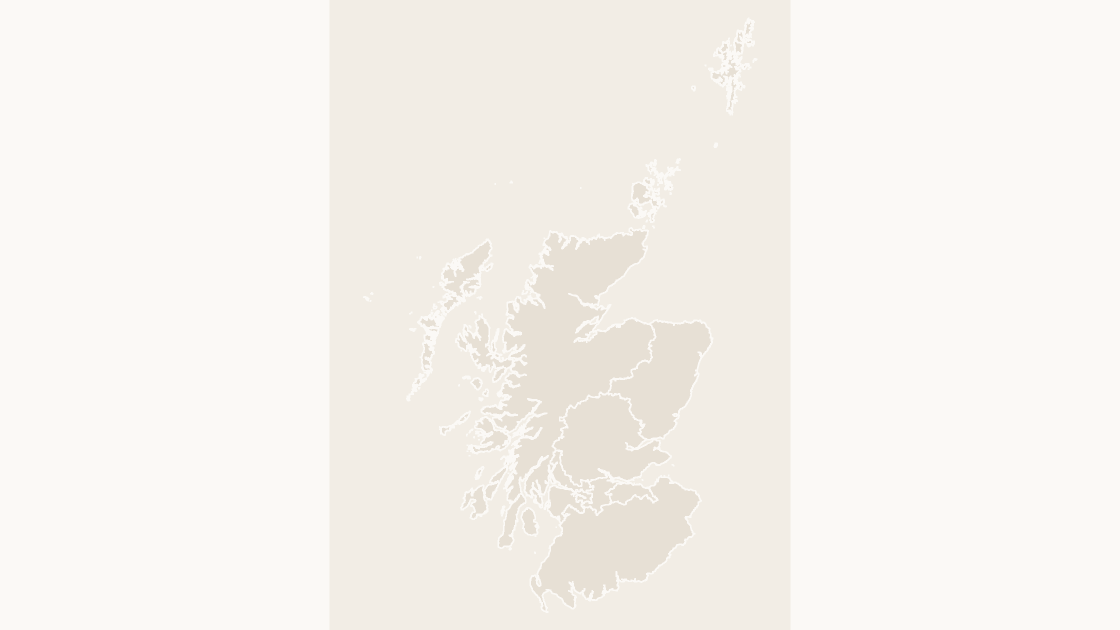
Scotland Parliamentary Regions map preview in the editorial theme

Preview shows the map slide in Editorial, Mono, Slate.

Every template has the same eight slides

  1. Cover — the map's name and theme, on a slide you can put your own title over.
  2. Editing guide — ungroup, recolour, regroup, in three steps and without plugins.
  3. The map — every area at one flat colour, the blank starting point for your own shading.
  4. Reference map — all 8 regions named, each carrying its GSS code, so nothing has to be looked up.
  5. Data map — five shaded classes and a legend, ready for your own figures instead of the sample ones.
  6. Spotlight — the largest few by area emphasised and the rest muted, for a single clear point.
  7. Working with the data — a data hand-off table.
  8. Source and licence — the boundary release, the publisher and the licence, printed on the slide so the deck carries its own provenance.

Office for National Statistics licensed under the Open Government Licence v.3.0; contains OS data © Crown copyright and database right 2026.

$19.99 · all three themes Devolved parliaments

Editable Scotland Parliamentary Regions Map Template

The 8 electoral regions of the Scottish Parliament, which return the regional seats.

How to edit

Download a free sample deck — England Integrated Care Boards, all three themes, no email and no card.

One-time payment · 3 .pptx files, all themes included · 14 days refund policy · Terms and Privacy

8 regionsGeography
8Editable shapes
8Slides
3Themes
About this template

The 8 regional areas of the Scottish Parliament. Each groups several constituencies and returns seven members of its own, alongside the 73 constituency members.

Typical use: Regional list analysis and Scottish election reporting.

Purchase terms

  • $19.99, one-time payment. There is no subscription and no further charge.
  • Immediate delivery. The download link is issued as soon as payment is confirmed. It keeps working, and a fresh one can be fetched at any time from the find-my-download page.
  • 14 days refunds. A refund may be requested within 14 days for any reason, whether or not the file has been downloaded. See the refund policy.
  • Commercial use. Use in any number of presentations, commercial or internal. Resale or redistribution of the file is not permitted.
  • Credit. The Open Government Licence requires the two credit lines wherever the boundaries are reproduced. Both are already on the source slide of every deck.
  • Payment. Handled by Waffo Pancake as merchant of record, which also collects any applicable tax.
Areas included

All 8 regions are in the file:

Central Scotland, Glasgow, Highlands and Islands, Lothian, Mid Scotland and Fife, North East Scotland, South Scotland, West Scotland.

Specification
Price$19.99, one-time payment, no subscription
FormatPowerPoint .pptx, opens natively in Keynote
File size581 KB
Join fieldGSS code (the ONS identifier for each area)
Area figuresArea, km², measured from the boundary geometry
Boundary sourceOffice for National Statistics, Open Government Licence v3.0
ProjectionAlbers equal-area conic, fitted to the UK
CoordinatesWGS84 longitude / latitude
LicenceCommercial use permitted; resale of the files is not
RefundsFull refund within 14 days for any reason, and at any time if the file is defective or not as described
Questions

Scotland Parliamentary Regions — questions before you buy

How is this different from the map chart built into PowerPoint?
The map chart built into Microsoft 365 and Office 2019 or later looks places up through Bing Maps and stops at country level for the UK, so it cannot draw local authority districts, council areas or wards. These maps are ordinary PowerPoint shapes built from the ONS boundary files: nothing is looked up, every level below country is covered, and any area can be recoloured, relabelled or deleted on its own.
What does this Scottish Parliament region map show?
This is the map of the Scottish Parliament regions. 8 regions — all in Scotland. Every one is a separate shape that can be filled, labelled or deleted on its own, and the same boundaries are used on the map, the labelled reference slide and the data slide, so nothing shifts between them.
How do these relate to the constituency map?
Each of the eight regions contains several of the 73 constituencies and returns seven additional members from its regional list. The two geographies overlay each other rather than nesting, which is why they are separate templates.
What kind of data can I show on this map?
Anything published at Scottish Parliament region level: the regional list vote, and figures the Scottish Government publishes for the eight regions. Classify your figures into five bands and recolour by class — the data slide is already a five-step legend you can keep or replace — and the data hand-off slide lists every GSS code against its area name, ready to paste your figures next to.
How do I link my own data to the map?
Each shape is named after its area and carries its ONS GSS code, the identifier statistics are published against. Every code here begins S17, the ONS prefix for Scottish Parliament regions. Join on the code rather than on names: authority names repeat across the UK, get respelt by different publishers, and change when councils reorganise, while the code stays with the area.
Which boundary release is this based on?
Office for National Statistics boundaries, December 2022 release, generalised and clipped to the coastline. They are published under the Open Government Licence, which permits commercial use and requires two credit lines wherever the material is reproduced — both are already printed on the source slide of every deck.
What does it cost, and are refunds available?
Each template costs $19.99 as a one-time payment, with no subscription and nothing that renews. A refund may be requested within 14 days for any reason, whether or not the file has been downloaded. The refund policy is a few paragraphs long.
Does it need an internet connection?
No. The boundaries are stored in the file as shapes, so nothing is looked up when you open or edit it.
Does it work in Google Slides?
Yes. Upload the .pptx to Drive and open it with Google Slides. The files contain only shapes, solid fills and Arial, and no animation, SmartArt, chart or embedded media, which are the elements an importer drops or converts.
Keep exploring

Related UK templates