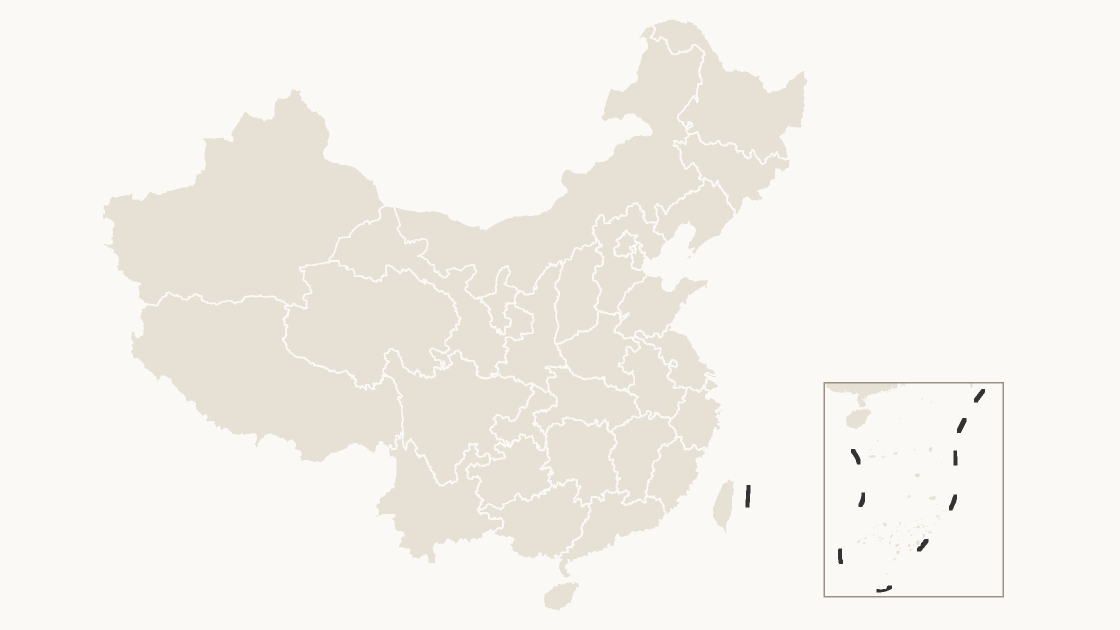
Preview shows the map slide in Editorial, Mono, Slate.
Every template has the same eight slides
- Cover — the map's name and theme, on a slide you can put your own title over.
- Editing guide — ungroup, recolor, regroup, in three steps and without plugins.
- The map — every area at one flat color, the blank starting point for your own shading.
- Reference map — all 34 province-level divisions named, each carrying its GB code, so nothing has to be looked up.
- Data map — five shaded classes and a legend, ready for your own figures instead of the sample ones.
- Spotlight — the largest few by area emphasised and the rest muted, for a single clear point.
- Working with the data — the full code table on the slide, ready to paste your figures against.
- Source and license — the boundary release, the publisher and the license, printed on the slide so the deck carries its own provenance.
Editable China Provinces Map Template
All 34 province-level divisions as editable shapes — the mainland provinces, the four municipalities, the autonomous regions, and Taiwan, Hong Kong and Macao.
One-time payment · 3 .pptx files, all themes included · 14 days refund policy · Terms and Privacy
One deck, three themes, no email and no card. The file is the real template, so you can ungroup it, recolor a shape and check that it behaves before buying anything.
The whole country on one slide, at the level most national figures are published. All 34 province-level divisions are separate shapes: the 23 provinces, the four municipalities, the five autonomous regions, and Taiwan, Hong Kong and Macao. Everything is one flat color to start with, so shading a region is a click rather than a redraw.
Typical use: National coverage maps, regional performance, and any figure published per province.
How teams use it
- A national picture — The whole country on one slide, with every area a separate shape, so the story can zoom into one region without a second file.
- Comparing regions — Recolor groups of areas to contrast performance, coverage or anything else the deck is arguing about.
- A base to build on — Start from the whole map and delete what the audience does not need, rather than assembling a country from parts.
| Price | $19.99, one-time payment, no subscription |
|---|---|
| Format | PowerPoint .pptx, opens natively in Keynote |
| File size | 2.48 MB |
| Join field | GB code (the GB administrative code for each area) |
| Area figures | Area, km², measured from the boundary geometry |
| Boundary source | chinaadminboundaries dataset |
| Projection | Albers equal-area conic, standard parallels 25°N and 47°N, central meridian 105°E |
| Coordinates | WGS84 longitude / latitude |
| License | Commercial use permitted; resale of the files is not |
| Refunds | Full refund within 14 days for any reason, and at any time if the file is defective or not as described |
All 34 province-level divisions are in the file:
Anhui Province, Beijing Municipality, Chongqing Municipality, Fujian Province, Gansu Province, Guangdong Province, Guangxi Zhuang Autonomous Region, Guizhou Province, Hainan Province, Hebei Province, Heilongjiang Province, Henan Province, Hong Kong Special Administrative Region, Hubei Province, Hunan Province, Inner Mongolia Autonomous Region, Jiangsu Province, Jiangxi Province, Jilin Province, Liaoning Province, Macao Special Administrative Region, Ningxia Hui Autonomous Region, Qinghai Province, Shaanxi Province, Shandong Province, Shanghai Municipality, Shanxi Province, Sichuan Province, Taiwan Province, Tianjin Municipality, Tibet Autonomous Region, Xinjiang Uyghur Autonomous Region, Yunnan Province, Zhejiang Province.
Picture, map chart, or this file?
| A map image | PowerPoint's map chart | This file | |
|---|---|---|---|
| Color one area and leave the rest | No — the picture is a single object | Yes, shaded from its data | Yes — 34 separate shapes |
| Edit without an internet connection | Yes | No — place names are resolved through Bing | Yes |
| Needs a Microsoft 365 or Office 2019 subscription | No | Yes | No — any PowerPoint that opens a .pptx |
| Rename, delete or move a single area | No | No | Yes — every shape is named in the Selection Pane |
| Cost | Free | Included with the subscription | $19.99, once |